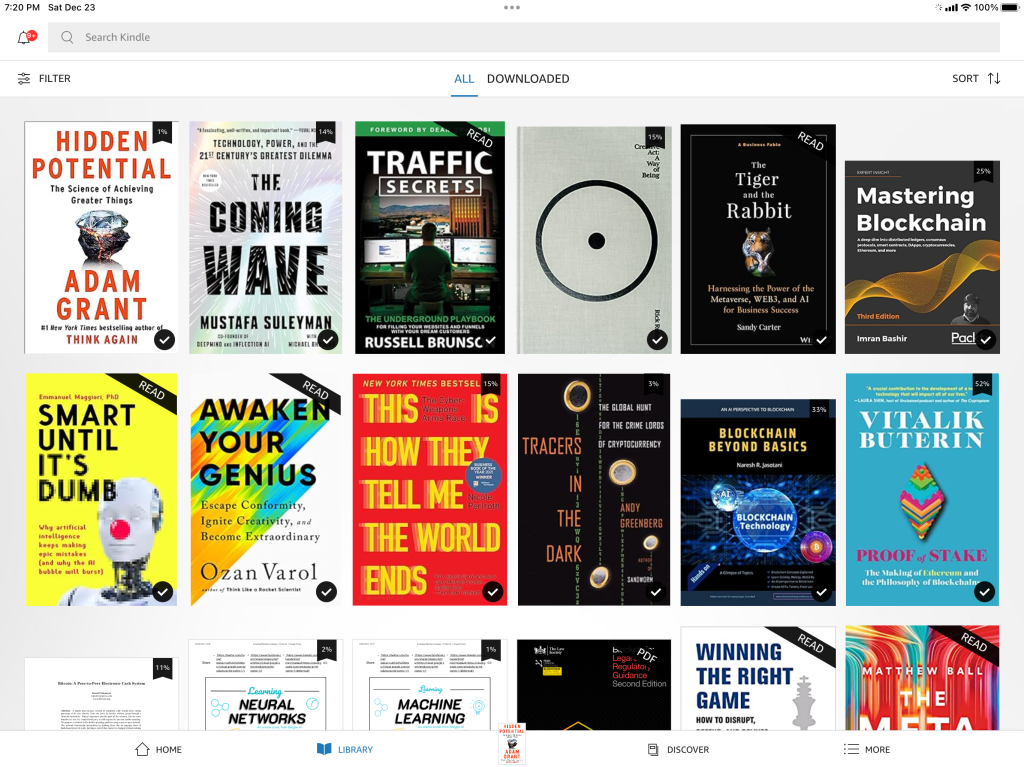
Since March I wrote quite a few posts on how to buy, use, register the Kindle 2 and I reckon it’s better to consolidate a complete list such that you can find the details more easily.

So, Here you go:

Enjoy !!

  • Share/Save/Bookmark
Tags: , ,

Comments No Comments »

It’s really a late review but I reckon instead of just repeat all the specifications and then recycle those as a review, I would rather write you my review after finished six books with the Kindle 2 and the Kindle for iPhone. In other words, it is a review from a book reader point of view, especially living outside US. And I believe, some of the items below also applicable to the Kindle DX.

Kindle 2

  • The Kindle screen is good, the eInk is really easy on the eyes, and when combined with variable font sizes it really makes a big difference to eReading experience.
  • The device is very portable (not the DX though), and you can bring as many books as you like.
  • You can read with one hand (or even one finger), it is really useful in bus, subway, restaurant etc.
  • However, it is good for linear reading only – i.e. forget the random access to certain pages and also flip the pages freely to skim the book.
  • I found that not all eBooks from Amazon are the same, some with better formatting, some with status bar indicator (it shows each chapter with a tiny dot and also your reading progress … with more dots), some without table of content – even though all eBooks are in .azw format. I suppose it depends on the digitize process from each publisher.
  • The bottom location indicator is useless, that will be better if it shows which chapter you’re reading intead.
  • Keyboard is usable but not great, it is a pain to add notes to a book, really.
  • You can bookmark a page easily, but to retrieve it thru a search is not that easy – the search result page is not that useful after all.
  • The built-in dictionary is good.
  • There is no Kindle 2 Cover shipped with Kindle2, you have to buy separately.
  • PDF support is a joke, but you can partially fix it.

Kindle for iPhone

  • The screen is surprisingly good, and easy to read (with different background colors)
  • Good for short books, and you can read it anytime even you don’t have the big brother Kindle with you.
  • Next / Previous page gesture is even better than buttons in Kindle 2
  • Version 1.1 includes orientational lock and paper color
  • Whispersync is good (I tried it once in a trip to US), but not for non-US users

In summary, the Kindle 2 is not cheap but I think it worths every penny.

So, what are the books I finished so far with the Kindle ? Here you go:

Note: The above URLs link to the physical books, from there you can choose Kindle version if you want to.

  • Share/Save/Bookmark
Tags: ,

Comments No Comments »

Months ago I blogged about the importance of branding yourself in popular social networks, as well as the need of creating a unique Twitter background for your Twitter profile. After months of testing, I found that the design of the Twitter background needs to address two “display modes”:

  • The mode when your followers visit your profile / tweets;
  • The mode when only one tweet is displayed

I therefore redesigned the profile background – first find a good background image from Stock.xchng; then design your left hand side information panel; lastly, create some images (in my case, from my gallery) / graphics to cover the right hand side and lower half of the image.

Here is the new background image and check it out.

Twitter background

The background in “profile display mode”:

Twitter background - profile display mode

Twitter background in single tweet mode:

Twitter background - single tweet mode

  • Share/Save/Bookmark
Tags:

Comments No Comments »

Couple of days ago, Olympus launched one of the most innovative cameras in recent years – E-P1 … a compact camera with a size of DC, but with quality and features of a DSLR. What strikes me most in the past few days is not the excellent feature set of the camera, but how people evaluate this new camera – even before they get one.

Some said they hate the body color – they want it in all black, instead of the current two offerings – White and Silver. Some said they want an EVF (Electronic View Finder) on top of the Liveview LCD, even though all the DC in the market except one has an EVF. Some said a built-in flash is a must, but according to the sample pics in DPreview, E-P1 can handle in-door shooting environment comfortably with ISO 3,200 and 6,400. And some said they will not buy it because the LCD is not high resolution enough, or because it is not water-proofed. Of course, some said it is too expensive, or too big, or too small etc., etc…

Seriously, are they real photographers, or just professional whiners ?

Olympus E-P1

YouTube Preview Image

So, is E-P1 a good camera ? I don’t know yet, but as Imaging-Resource.com put it:

Just when we thought it was all going to go SLR, Olympus … makes an introduction that changes everything.

  • Share/Save/Bookmark
Tags: ,

Comments No Comments »

Amazon released the Kindle for iPhone 1.1 about a month ago and I think it is about time to upgrade.

In March this year Amazon released its free Kindle application for the iPhone such that you could read the ebooks you purchased for your Kindle. If you were living in US, you could also take advantage of the Amazon’s Whispersync, which would sync both devices, that’s mean you could pick up reading where you left off.

Initially I thought The reading experience with iPhone would not be pleasant (e.g. I don’t like Stanza at all), but actually I was wrong. The application is in fact quite good and I will review the usability in another blog post.

Anyway, with the version 1.1 update, the reading experience on the Kindle for iPhone is further improved. For example, you can now switch the view from portrait to landscape mode if you prefer to read that way. You also have the option to “lock” the phone in either portrait or landscape mode thanks to a padlock icon to the lower right.

Another good feature is that you can now change the background and text color combination so that reading is easier on the eyes. Black text on a white background can be harsh, but now you can now choose a gray text on black background option, or a dark and light sepia option. My personal favorite was the sepia tone.

Also, you can now turn pages by just tapping the screen, if you don’t like the previous “slide gesture”.

You can follow the steps of buying Kindle for iPhone from outside US to get the application from iTunes, and with the same account, you can download the version 1.1. Enjoy.

Kindle photo iphone kindle photo

  • Share/Save/Bookmark
Tags: ,

Comments No Comments »

What is really a deadline ?

In the words of a design student, Bang-yao Liu, of Savannah College of Art and Design …

Every time when I am busy, I feel that I am not fighting with my works, I am fighting with those post-it notes and deadline.

So he made a brilliant video about deadline with, believe it or not … 6,000+ Post-it notes. Enjoy !!

YouTube Preview Image

Curious about how he made this video ? Check it out.

  • Share/Save/Bookmark
Tags: ,

Comments No Comments »

So, any plan for the coming weekend ? Or more specifically, 12:01 noon 13rd June Hong Kong time ? It is important for you all Facebook users, as it is the day, time that you will be able to “claim” your Facebook Username. Imagine millions of Facebook users want to do it at the same time, I can tell it will be a nightmare for the Facebook IT support / infrastructure team. And of course, the user experience will not be great either.

Anyway, if you get your dream Username, you can refer to your profile like the following. And of course your friends will find you easier with this easy-to-remember URL.

Facebook profile link

The problem in fact is how you can secure your dream Username … According to the Facebook blog, in that particular day, you will have an option to select one of the suggested names or define your own if you don’t like the suggestions.

Claim your Facebook Username

If Facebook keep their promise, it means we all can now envisage what the suggestions will be displayed on screen coming Saturday. And if those are not what you want, then you better dream up a good one for yourself and fill up the text box “Choose Your Own”. So here is my recommendations to you all:

  • Before this weekend magic moment, i.e. in the next two days, login to your Facebook account and search your own name. Then check how many people in Facebook world have the same name as you – it means you will know how many potential Facebookers will fight for the similar dream name in your mind.
  • Start jotting down what dream names you like, and prioritize them – it means if you cannot get the first priority name, quickly type in the next one …
  • Double check your hardware and Internet connection before that specific date / time. If there is any problem in the Saturday morning, seek help immediately.
  • Once you secured your dream Username, Twit it, mail it, blog it, and change the Facebook profile information in your Visual CV, LinkedIn and Google Profiles (if you have any one of those …)

Enjoy the web traffic that day !!

  • Share/Save/Bookmark
Tags:

Comments 1 Comment »

Some great tips and tricks from Matt Cutts on Wordpress SEO at WordCamp San Francisco 2009. Enjoy !!

Download the Powerpoint from Matt’s blog post – Straight from Google: What You Need to Know.

  • Share/Save/Bookmark
Tags: , ,

Comments No Comments »

Different horses for different courses … all along I want to use my iPhone in three different places for totally distinct usages:

  1. Connect to a notebook computer, sync my iPhone but also house an USB hub and memory card reader;
  2. Connect to nothing, but iPhone as a loud music player in my small office;
  3. Connect to a mini-HiFi, my iPhone as the music and Internet radio source.

In other words, all I need is a multi-purposes devices – an iPhone dock that can connect to an AV amplifier but also a speaker, USB hub and a memory card reader. Of course, there is no such device and therefore I bought three docks to achieve this.

First is the Simplifi from Griffin Technology – It is a charge/sync dock, memory card reader, and USB hub. See the photos below for the look of it, it works perfectly and I am now using it with my notebook computer. It really is a space saver.

  • Pros : Hi-speed USB link, all-in-one device, not expensive, match with MacBook nicely
  • Cons : USB cable to connect to computer is not long enough

The second one is also from Griffin and it is a simple dock that also act like a mono-speaker – Griffin AirCurve Acoustic Amplifier for iPhone. The Aircurve, a cleverly-designed acoustic amplifier, is basically a coiled waveguide “horn’ that collects the sound from the built-in speaker of your iPhone and then amplifies it. Of course it is not a Bose speaker system, but it is good enough for my small office.

  • Pros : Stylish, not expensive
  • Cons : Not a small dock (check the pic), so-so quality loudspeaker (it is mono, after all), you also need to get your own iPhone cable to do the synchronization

Lastly, the Dexim AV Dock is similar to the Apple iPhone AV dock. It connects to my mini-HiFi and in turn to my LCD TV. Now with this AV dock, I can watch videos, view photos on my TV. And also I can play my iTunes music, Internet radio show thru the mini-HiFi.

  • Pros : An cheaper alternative to the Apple dock / cable, easy to set up, stylish
  • Cons : You need to turn the volume way up high to appreciate the music

Life is good.

  • Share/Save/Bookmark
Tags:

Comments No Comments »

Other than ebooks, lots of people want to read PDF documents in their Kindle 2. However, since the Kindle 2 cannot display PDF documents natively (Kindle DX can do that however), the big question to many Kindle 2 owners is therefore how to make it work ? One simple answer is to use the conversion service by Amazon.com, however this method is not the best one. I hope this blog post can provide a good answer to some of you.

1. Let Amazon.com do it for you

As mentioned, Amazon.com offers a service to let you just do that. You send your file to your Kindle email address and after a few minutes, Amazon will send the converted file (with .azw extension) to you (via Whispernet). It cost some money to do that, or if you want to do it free, send your PDF document to the free Kindle email address. With this approach you can also save the file and transfer to your Kindle 2 with the USB cable – i.e. it works prefectly if you’re outside US. The only trouble with this method is the converted file is actually not easy to read at all … if your PDF document is full of graphical images and illustrations.

2. Hack your Kindle 2 to do it

Yes, you can hack your Kindle 2 to convert PDF document automatically … just install the Savory tool by Jesse Vincent. This tool converts every page of the PDF document into images and you can read it in portrait or landscape modes.

I like Jesse’s implementation a lot, but I don’t want to hack my Kindle 2 … and I don’t like to uninstall the hack before every software upgrade.

3. Convert to Mobi file format

Kindle 2 supports many formats such as .Mobi, .prc and .txt format, so you can also install file conversion programs to convert your PDF document to .Mobi files. I tried this before with the Calibre opensource tool. And there is another tool from MobiPocket.com that can do this as well. Unfortunately, the converted PDF document looks pretty much like the .azw format – i.e. not that readable for image-heavy PDF documents.

4. Convert to images without hacking your Kindle 2

That method is similar to the second approach above, but you don’t need to hack your Kindle 2. Just download the PDFRead 1.8.2 from the mobileread.com website, install it and convert your document with the profile parameters (check image below). Transfer the converted document (a .prc document) to your Kindle and it’s done. The upside of this approach is the very readable output (including Chinese document as well !!). The downside is you cannot perform text search with this image-based document, and many times you need to zoom in to read the details.

Check the images below …  hope you find this useful and enjoy your PDF documents.

  • Share/Save/Bookmark
Tags:

Comments 6 Comments »